Sunday, June 11, 2017

Current Keymaps

USB Devices

1. Access-IS POS Maltron/Frogpad Keyboard

2. Dual Genovation CP48s Maltron/Frogpad Keyboard

3. Maltron Dual-Handed 3D Maltron Keyboard

3b. Maltron Dual-Handed 3D Maltron Keyboard with Frogpad on bridge

4. Kinesis Advantage Maltron/Frogpad Keyboard

5. Truly Ergonomic Deck 209 Maltron/Frogpad Keyboard
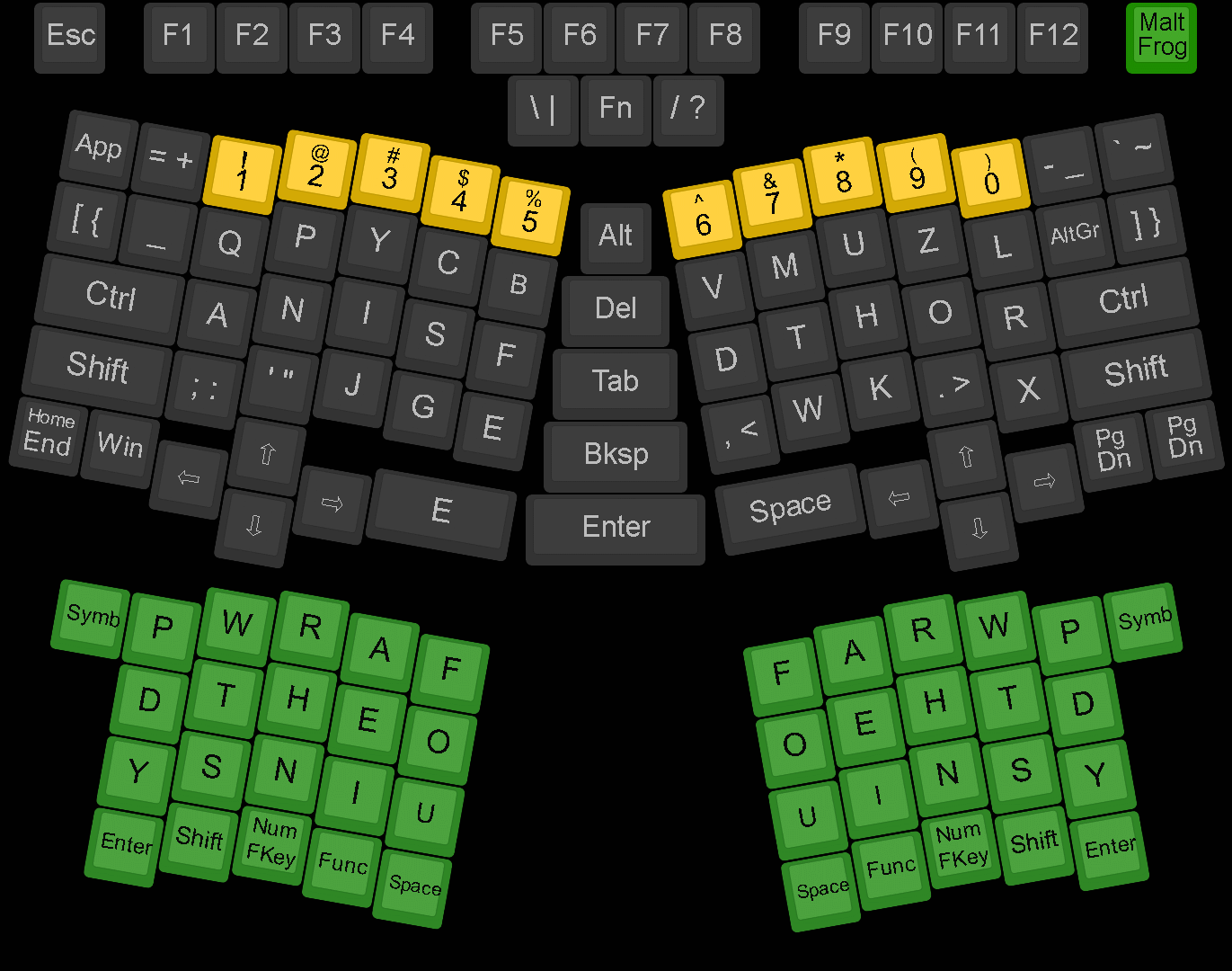
6. Cherry POS Maltron Keyboard

6b. Cherry POS Maltron/Frogpad Keyboard

7. Cherry POS MIDI (used with Virtual MIDI Piano keyboard)

8. Vortex Pok3r Maltron Keyboard (Portable Rig)

9. Triple Layer JD40 Keyboard (proposal)


10. PLUM Keyboard (newest acquisition)

Photo Montage of My Setup

FIN

Wednesday, May 10, 2017

Thursday, April 6, 2017

Saturday, November 12, 2016

A Nation Divided


Thursday, November 3, 2016

Paint Marker Keys


Sunday, September 25, 2016

Saturday, September 24, 2016

Current Keyboards

Genovation CP-48 Split Keyboard (Cherry Black)
with Maltron Spherical Keycaps
Access-IS Grid Keyboard (Cherry Black)
with Maltron Spherical Keycaps
TrulyErgonomic 209 Keyboard (Cherry Blue)
with Genovation Flat Keycaps

Vortex Pok3r 60% Keyboard (Cherry Brown)
FrogPad (non-mechanical)
Cherry POS Keyboard (non-mechanical)
Maltron Split Keyboard (Cherry Brown)
Genovation 24-Keypad (Cherry Black)
Logitech N305 (non-mechanical)

Thursday, November 19, 2015

Latest Keyboard Layouts

Made these using keyboard-layout-editor.com

Maltron Dual-Handed 3d PS/2 Matrix Keyboard
Access-IS PS/2 Matrix Keyboard (Maltron Layer) NKRO
Access-IS PS/2 Matrix Keyboard (FrogPad Layer) NKRO
Planck 45-Key Matrix Keyboard (3 Layers) NKRO


TrulyErgonomic 209 USB Maltron Layout Keyboard


Kinesis Advantage USB Maltron Layout Keyboard

Vortex Pok3r USB Maltron Layout Keyboard


Saturday, November 14, 2015

Hex Keyboard Layouts


Sample an Octave of Harmonic Table Layout
over at NewGrounds:

Or Wicki-Hayden Keyboard Layout
AXIS-49 Midi Controller


Flipped to Left Hand Fingering, Adapting a Maltron Finger-stick keyboard to Hex Usage


Current Maltron & FrogPad Keyboards


Monday, February 9, 2015

WayTools TextBlade


Excited for this blade snap together & put in a stick of gum jumbo form factor
Numbers & symbols stacked on a layer is nice. the corners of the space bar activate them and also the embossed legends on the other extent, apparently
No full PDF manual to be found yet,
cool site at www.WayTools.com but it's linkbar eats up options leftwards.

Inverted to show detail